
No master password
Your passwords open with your fingerprint, face or phone PIN. You don’t need another password.
Passwords
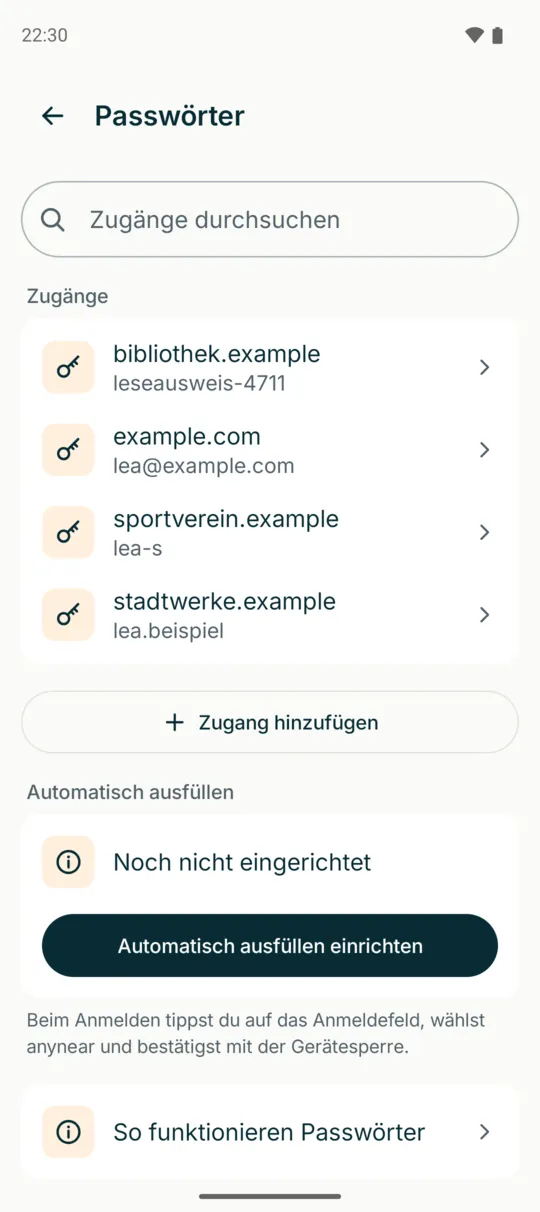
anynear remembers your logins, fills them in when you sign in and only opens them with your fingerprint, face or phone PIN. No master password.
What anynear does
Your passwords open with your fingerprint, face or phone PIN. You don’t need another password.
When you sign in to apps and websites, anynear suggests the right login and fills it in.
What you save on one device is there on your others too. On a computer in the browser, if your browser supports it.
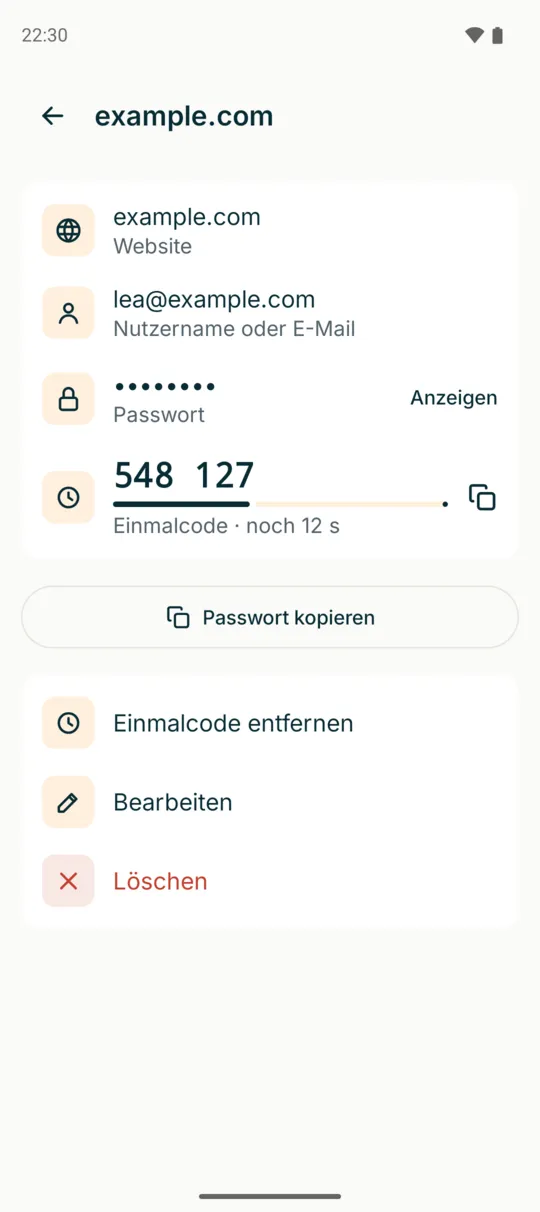
For two-step sign-in, you scan the website’s QR code. anynear shows the current code right in the login. No second app needed.
If a website offers passkeys, anynear stores them for you. You then sign in without any password.
Your passwords are stored encrypted on your phone and also at several locations in Europe. So they’re back when you get a new phone.
One-time codes
Many websites ask for a code after your password. anynear shows it large in the login, with a bar for the remaining time. Tap to copy it; on Android, anynear can also fill it in directly.
Questions & answers
No. They are encrypted on your phone before they leave it. Only your own devices hold the keys. We can’t open them either.
With a backup you move to a new phone and your passwords come along. If you have another device with anynear, they are already there.
anynear uses passkeys on Android 14 or later and on iPhone with iOS 17 or later. On older phones you can see saved passkeys but cannot sign in with them.
It’s convenient, but then both are protected by the same phone lock. For especially important logins, such as your bank, you can keep the one-time code in a separate app.
anynear is in beta. For important logins, keep a second way to sign in for now. What is stored where?